
Features
Built for the papers you keep needing
Search, sort, store and share your everyday documents without handing them to anyone.
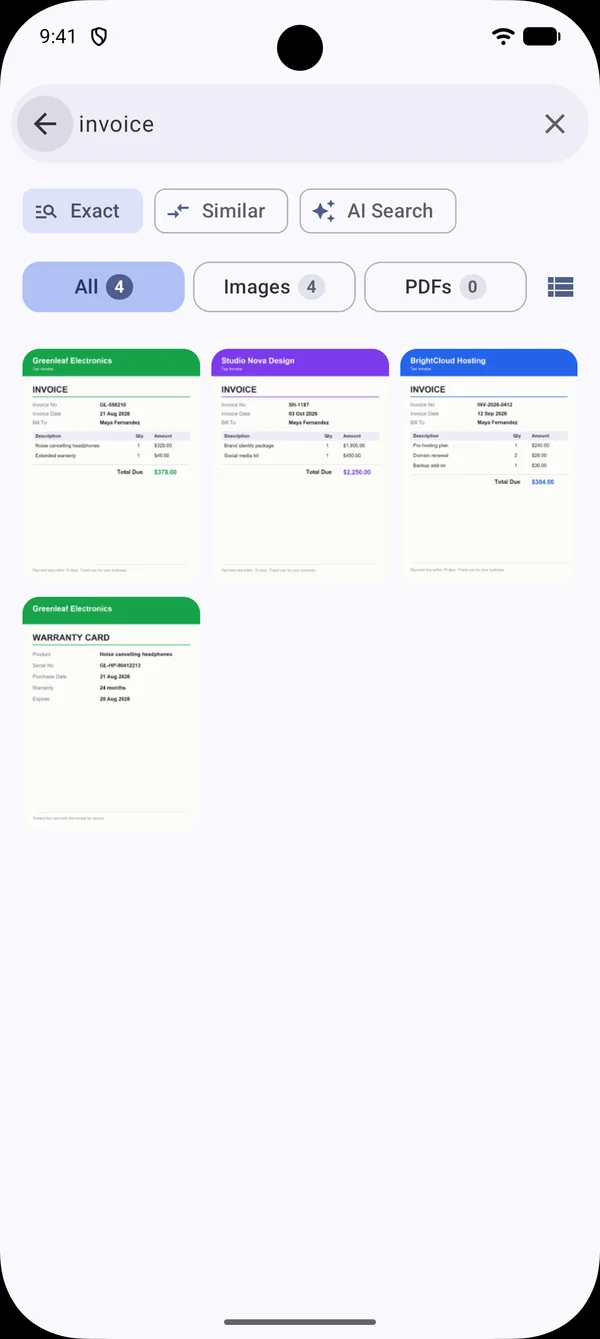
Find by what is written inside.
Search that finds the file, not just the name
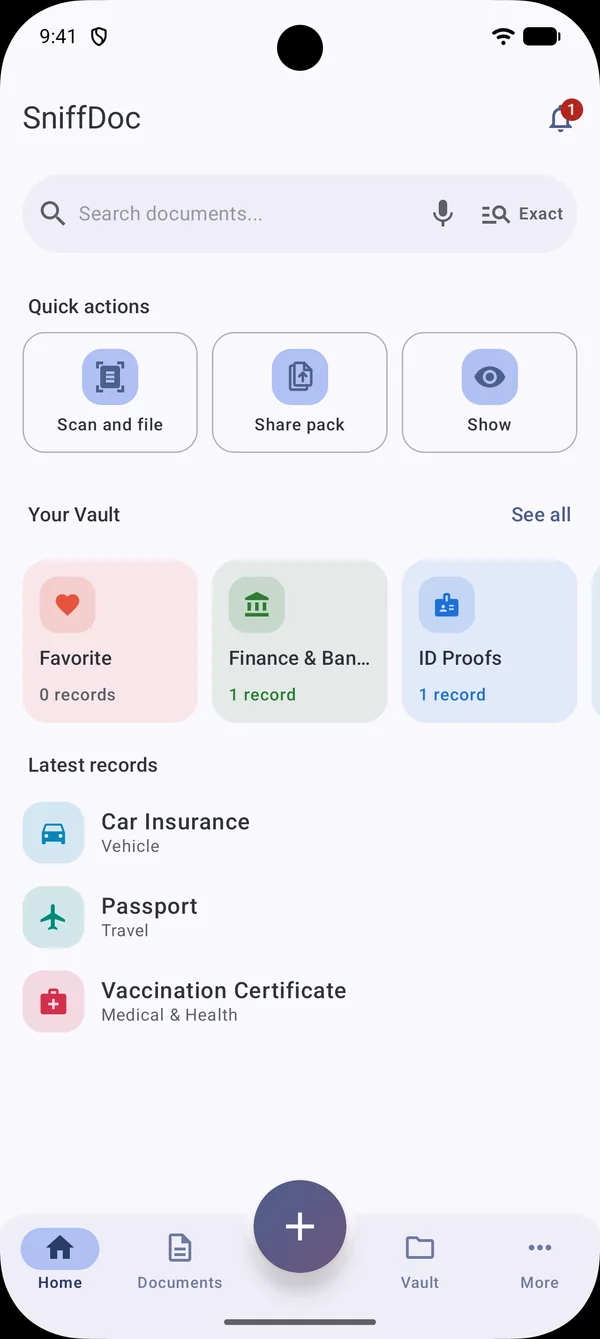
- Exact mode finds the words you type; Similar tolerates typos and sound-alikes; AI Search matches by meaning.
- Voice search through your phone's speech service, only when you tap the mic.
- Results show real previews with counts for All, Images and PDFs.
- Everything is searched from the index on your phone, so it is instant and works offline.
Documents appear on their own.
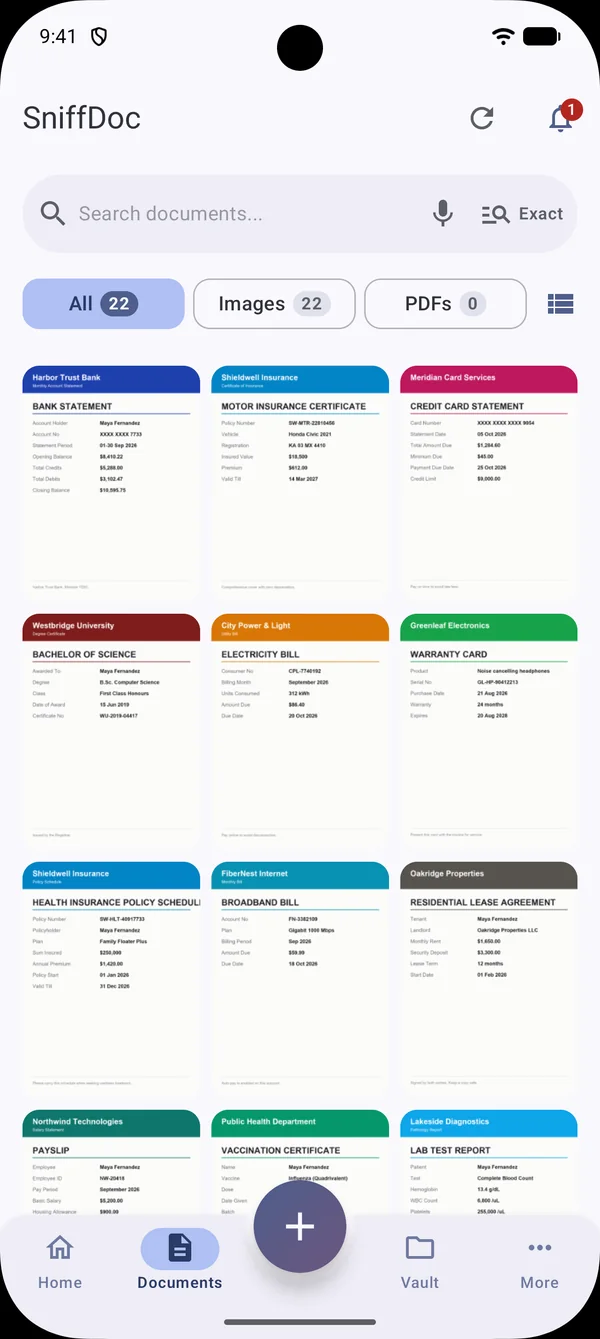
Your gallery, sorted into documents
- Text recognition and classification run on the device with Google ML Kit models.
- ID cards, invoices, bills, statements, certificates and policies are recognised by their words and layout.
- The first scan is the longest; after that only new or changed files are processed.
- Your originals are only read, never changed, moved or deleted.
Folders you can trust.
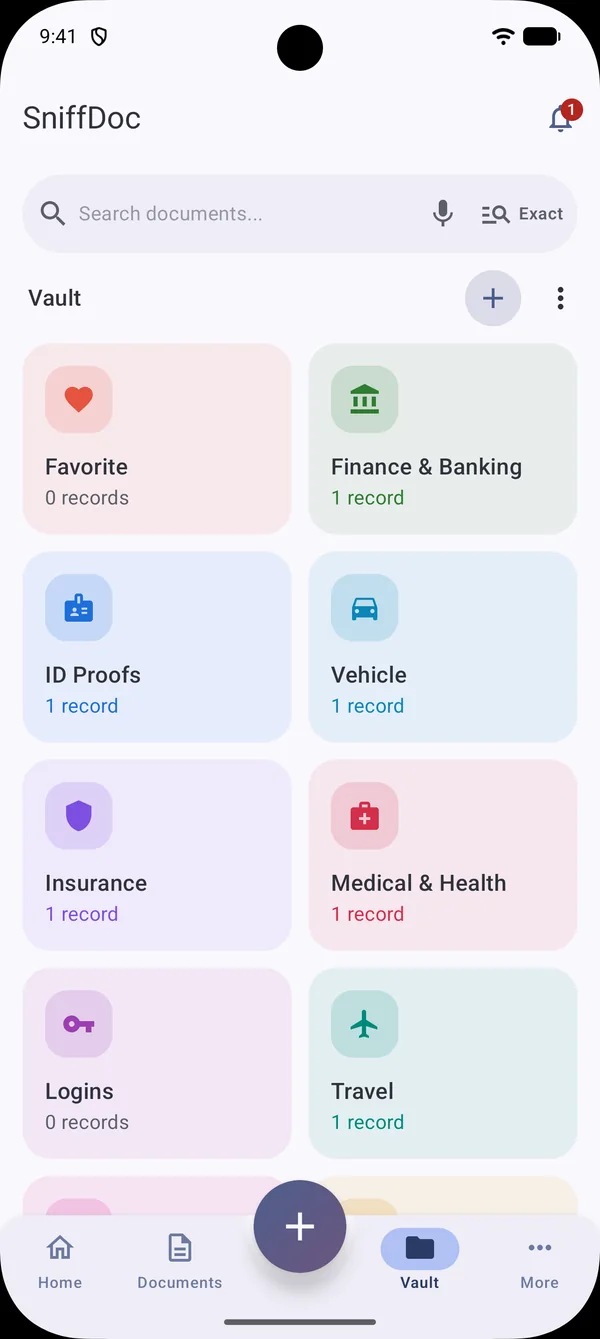
A Vault for the records that matter
- Folders and subfolders for IDs, finance, vehicle, insurance, medical, travel and logins.
- Fields for numbers, dates and passwords, plus attached files from your gallery.
- Expiry reminders that never show a password or field value.
- The Vault needs no photo access at all. Passwords are AES-256 encrypted with a Keystore key.
One tidy PDF for any form.
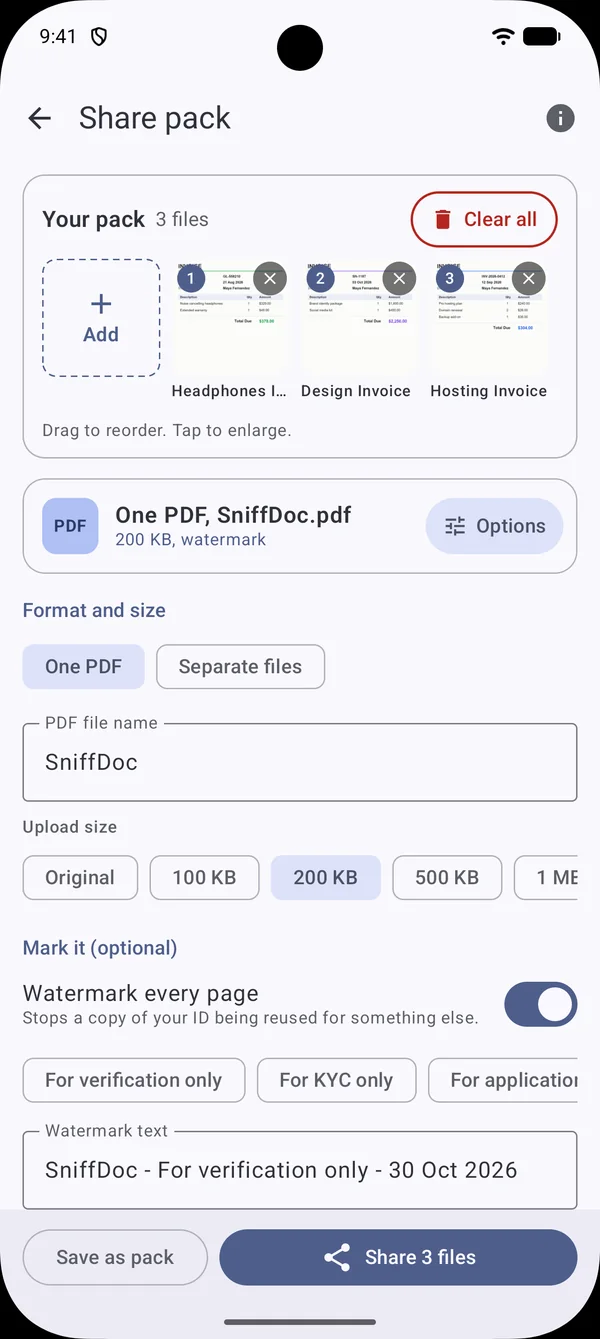
Share pack: send less, send it right
- Combine files into one PDF or send separate files through your usual share sheet.
- Shrink to Original, 100 KB, 200 KB or 500 KB, so you can skip online compressors.
- Add a watermark such as "For verification only" with the date, and place your signature.
- Save a selection like "Bank documents" to reuse next time.
The three things you do most.
Quick actions: Scan and file, Share pack, Show
- Scan and file: outline the page, add filters, and get a suggested Vault folder with details filled in.
- Show: display an ID or Emergency card full screen at full brightness. Screenshots are blocked and it closes after a minute.
- Details view hides all but the last four digits of numbers; Pin screen keeps the phone on the card.
- Optional app lock with your fingerprint, face or device PIN.
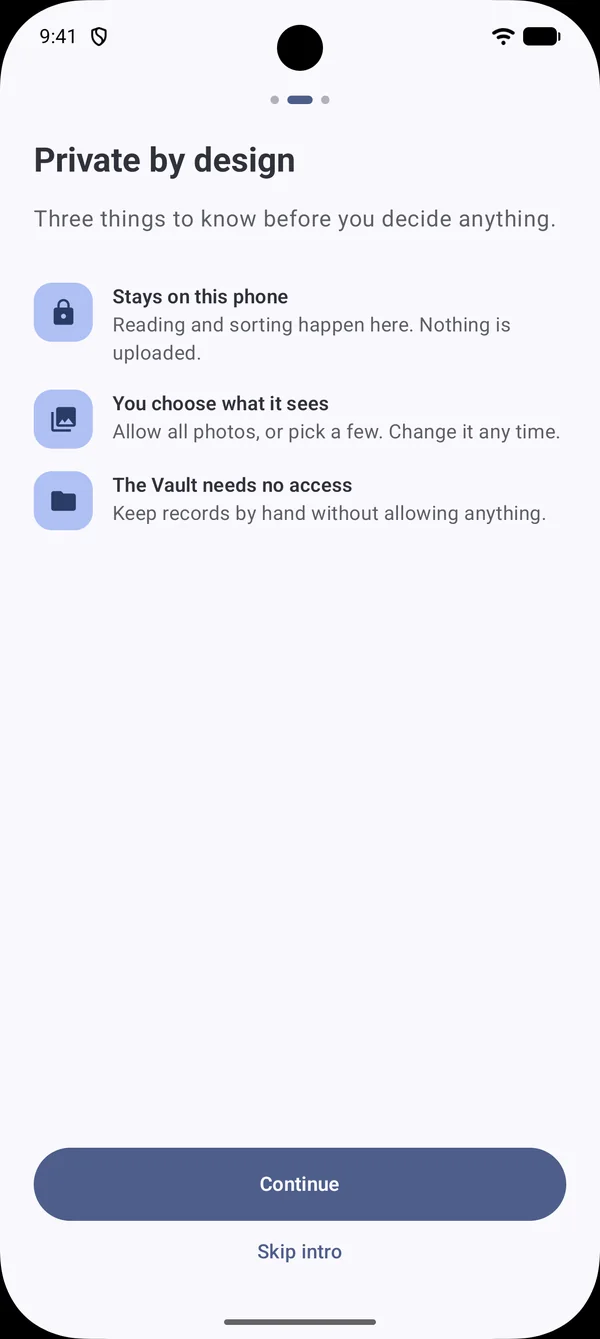
You decide what SniffDoc sees.
Private by design
- Allow all photos, pick a few, or start with the Vault only.
- Change permissions any time from More, Access. Removing a permission never deletes anything.
- No account is required. Signing in is optional.
- Optional Google Drive backup goes to your own Google Drive, locked with a passphrase only you know unless you choose Not locked.
Free on Google Play
Stop scrolling. Start finding.
Install SniffDoc, let it read your photos and PDFs on your phone, and have every important document one search away.