
Search that understands you
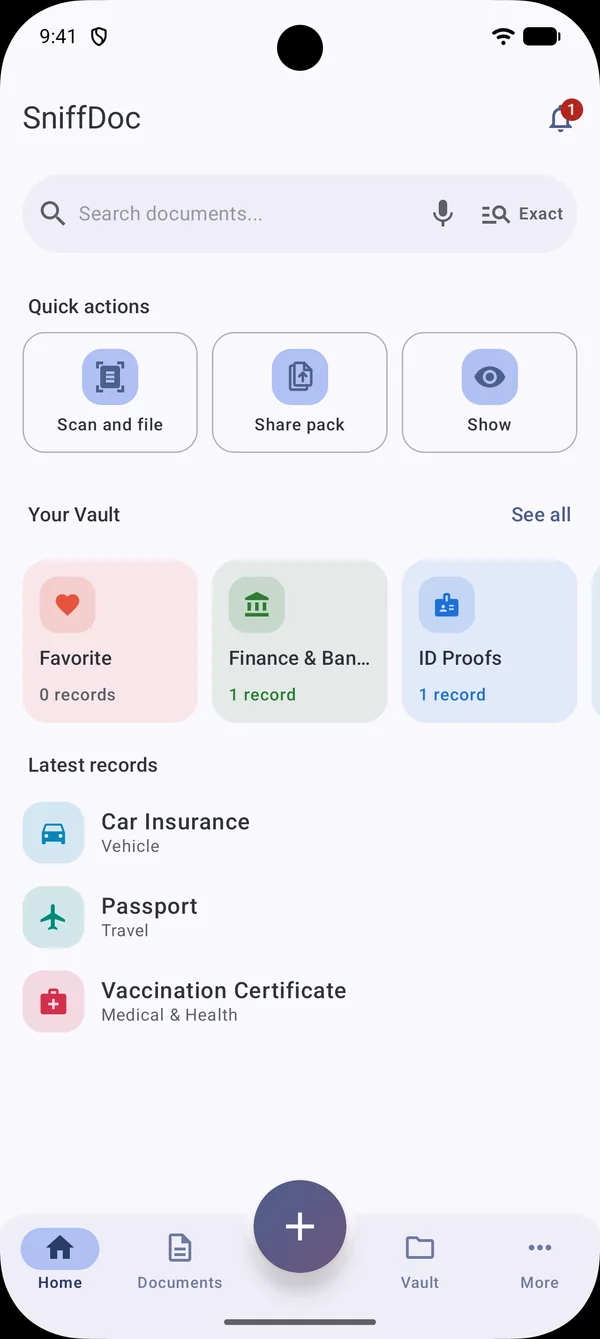
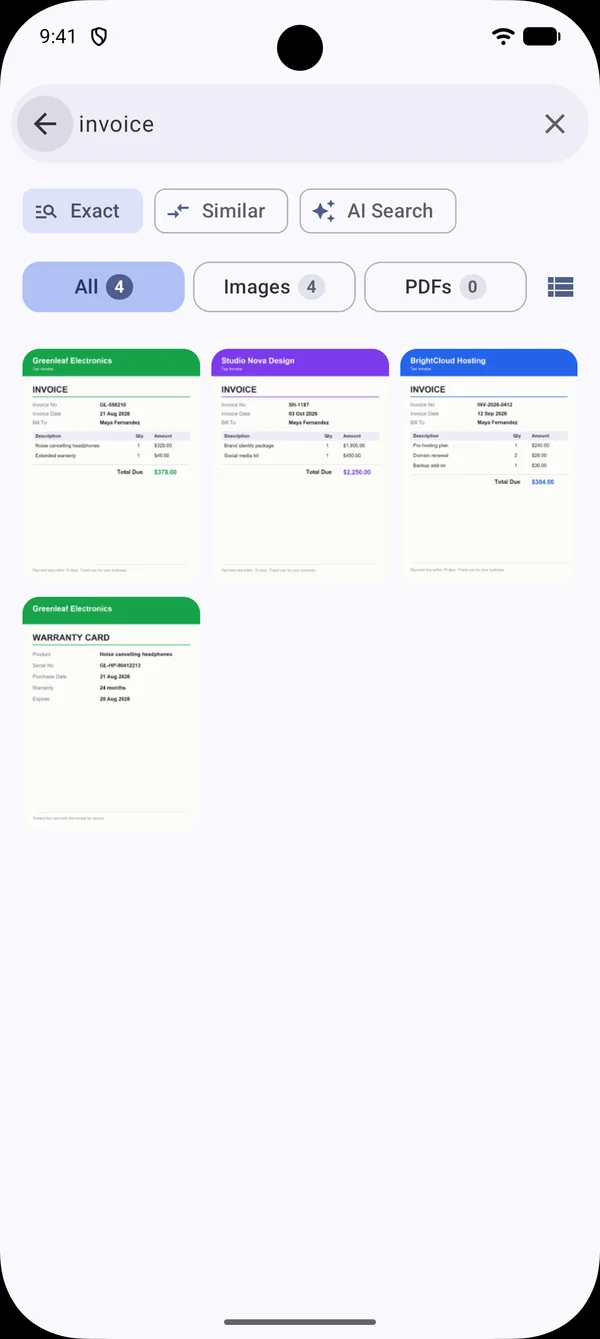
Exact, Similar and AI Search modes. Type a name, a number or a word from inside the document. Voice search is one tap away. Results appear as you type, with previews of the real file.
Private document search for Android
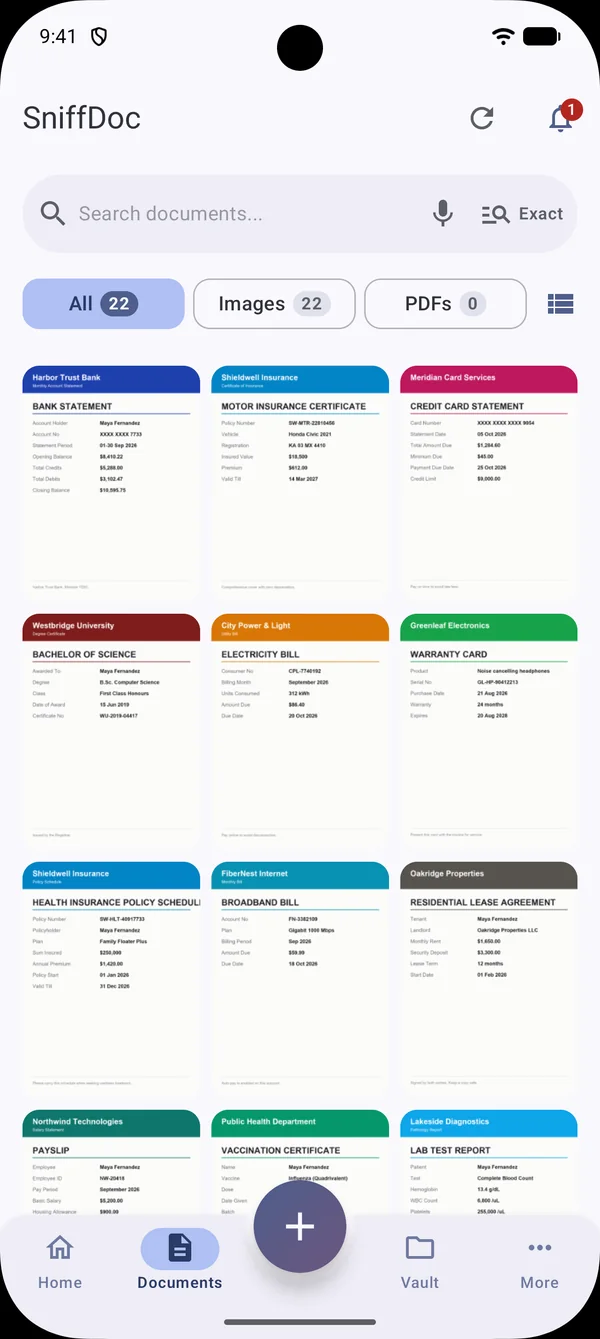
SniffDoc reads the photos and PDFs on your phone, spots the invoices, IDs, bills and policies, and lets you find them by typing a few letters. Everything happens on your phone.
Try it
Type into the box. SniffDoc matches exact words, forgives typos and understands meaning, like "salary" for a payslip or "address proof" for a utility bill.
This demo uses sample documents inside the page. In the app, search runs on your own library, on your phone.
Product tour
Real screens from the app. Tap the numbered dots or the tabs.
Features
From the moment you take a photo of a bill to the moment a form asks for it again.
Exact, Similar and AI Search modes. Type a name, a number or a word from inside the document. Voice search is one tap away. Results appear as you type, with previews of the real file.
Reading, sorting and search run on your phone. Your files are not uploaded.
Scan with the camera, tidy the edges, and SniffDoc suggests the folder and fills in details it can see.
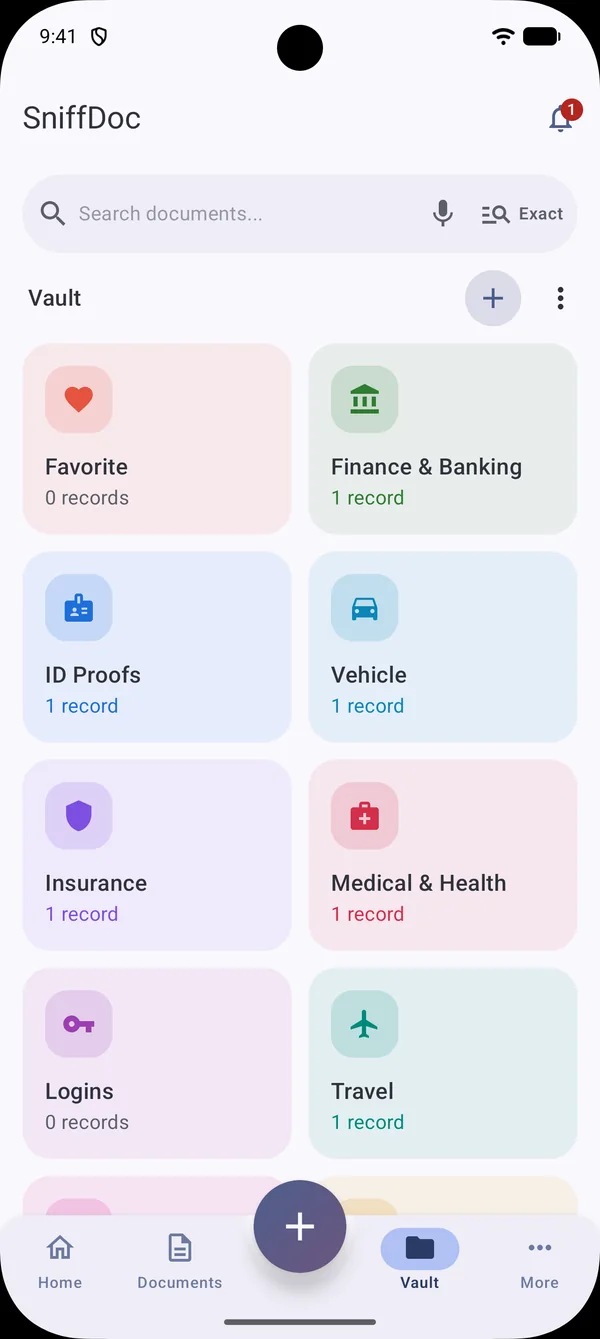
IDs, insurance, vehicle, finance and more, with fields, files and expiry reminders.
One PDF or separate files, shrunk to 200 KB for forms, with a watermark and your signature.
Hold up an ID or Emergency card full screen at full brightness. Screenshots are blocked and it closes by itself after a minute.
Optional app lock with your fingerprint, face or PIN. Vault passwords are AES-256 encrypted with a key held in the Android Keystore.
Get a nudge before a licence, policy or passport runs out.
Tap the mic and say it. Handy when your hands are full.
Optional backup to your own Google Drive, locked with a passphrase unless you choose otherwise. We cannot read it.
How it works
Allow all photos for the full scan, or pick a few. You can also start with the Vault only, with no access at all.
Text recognition and classification run on the device. The first scan takes a while on big libraries, then only new files are processed.
Type a few letters, open the document, file it in the Vault, or send it as a tidy PDF.
Privacy first
Most document apps ask you to upload everything. SniffDoc does the reading on your phone instead, so there is no cloud copy to leak.
Made for real life
Compare
| SniffDoc | Gallery app | Cloud scanner apps | |
|---|---|---|---|
| Finds text inside a photo | Yes, as you type | Limited | Yes |
| Where files are read | On your phone | On your phone | Often uploaded |
| Tolerates typos and meaning | Yes | Rarely | Varies |
| Private Vault with reminders | Yes | No | Varies |
| Share as one small, watermarked PDF | Yes | No | Varies |
| Works offline | Yes | Yes | Often needs internet |
General comparison of app types, not of any named product.
Reviews
FAQ
Yes. SniffDoc was built for exactly this. Your photos, PDFs and the text read from them are processed on your phone and stay on your phone. There is no SniffDoc server that receives your files, and nobody at SniffDoc can see them.
No. Reading the text in an image, recognising what kind of document it is and building the search index all happen on your device. Your files, their text and their thumbnails are never uploaded.
It looks through the photos and PDFs on your phone, works out which ones are documents (ID cards, invoices, payslips, insurance papers, driving licences and so on), and lets you find them by typing a name, a word or a number that appears on them. You can also keep important records in the Vault, organised in folders.
Yes. Scanning, search, viewing your documents and the Vault are free. The free version may show a small banner ad, never on the setup screens. A few extras have free limits and are part of the optional SniffDoc Pro purchase; see the next answers.
Choose Get SniffDoc Pro under More. It is a one-time purchase with lifetime access, not a subscription, and the price is shown in the purchase sheet before you buy. It removes ads and lifts the free limits. Signed in with the same Google Play account, you can restore it on a new phone.
Yes. Choose the Vault option on the first screen. You can use the Vault, and you can allow photos later from More, Access, whenever you want document search.
Free on Google Play
Install SniffDoc, let it read your photos and PDFs on your phone, and have every important document one search away.